
QR upload, no app
Guests open a link or scan a code and share from their camera roll — nothing to download.
Wedding guest photo sharing — live on the big screen. One QR scan, no app required.
The spark of the night
Three simple steps — share one link, collect uploads, and show photos live on any screen.
Lena's 30th Birthday
Set it up in under two minutes and get a unique QR code and link for your event.
The upload page opens right in their browser — no app, no account, nothing to install.




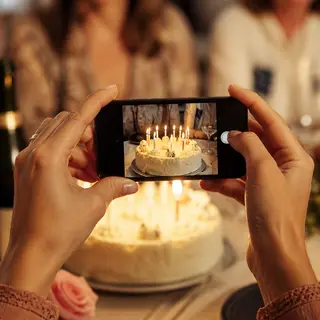

Every photo lands in one shared gallery the moment it’s taken — ready for the big screen.
Features
Everything you need to collect and show guest photos at your next event.
Guests open a link or scan a code and share from their camera roll — nothing to download.
Fullscreen slideshow for TVs and projectors, updated in real time as photos arrive.
A simple grid so everyone can browse what others captured during the event.
Auto-approve or review first — approve, hide, or delete anytime from your dashboard.
50 photos and a 7-day window so you can try at a real event before upgrading.
Pay per event with Photo Gallery, or subscribe to Iskra Pro to run many events at once.
Start free with up to 3 events — 50 photos each, no credit card. Upgrade one event to Photo Gallery, or go Iskra Pro to run many at once.
Host plan
£0forever
Per event
£29/event
Host plan
£99/mo
Which plan is right for me?
Straight answers for couples and hosts using at their wedding or next event.
No. Guests scan your event QR code and upload from their phone browser — no app, no account required.
Open Live view on any TV, projector, or laptop connected to a screen. New photos appear as guests upload throughout your celebration.
Yes. Choose auto-approve or manual review, then approve, hide, or delete uploads from your event dashboard.
When you need more than 50 photos, a longer upload window (30 days), 90-day gallery access, or bulk download. Pay £29 per event, or get 4 included each month with Iskra Pro (then £19 each).
Planners, venues, and DJs who run many events. Pro gives unlimited active free events, up to 25 events on screen at once, and 4 included Photo Gallery events per billing month (then £19 each).
Planning a wedding? See our wedding photo sharing guide
Create a free event in minutes and put the QR on the table.
Create your free event